Navigation:
-
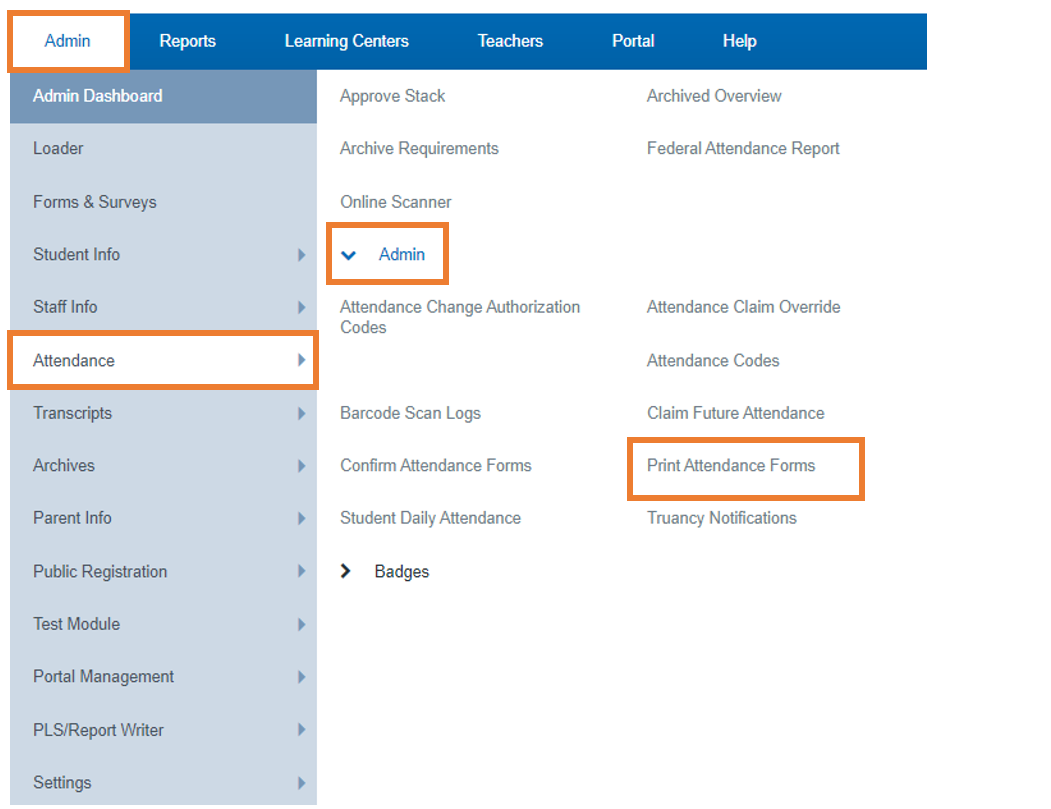
Admin > Attendance > Admin > Print Attendance Forms
-
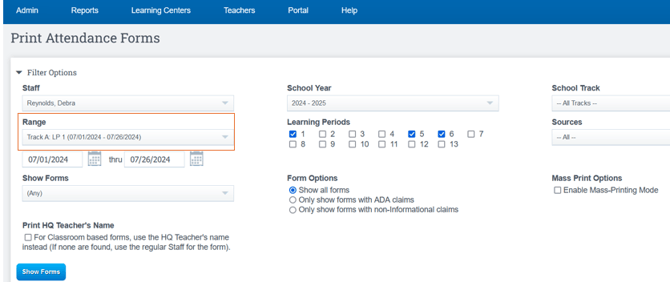
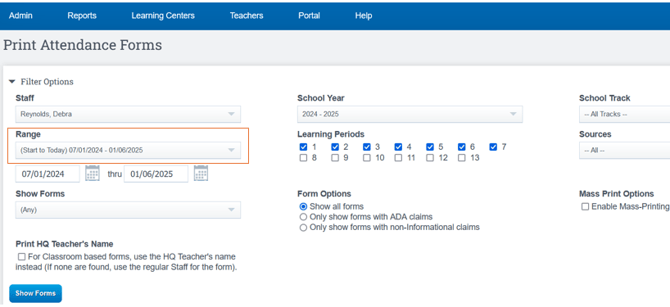
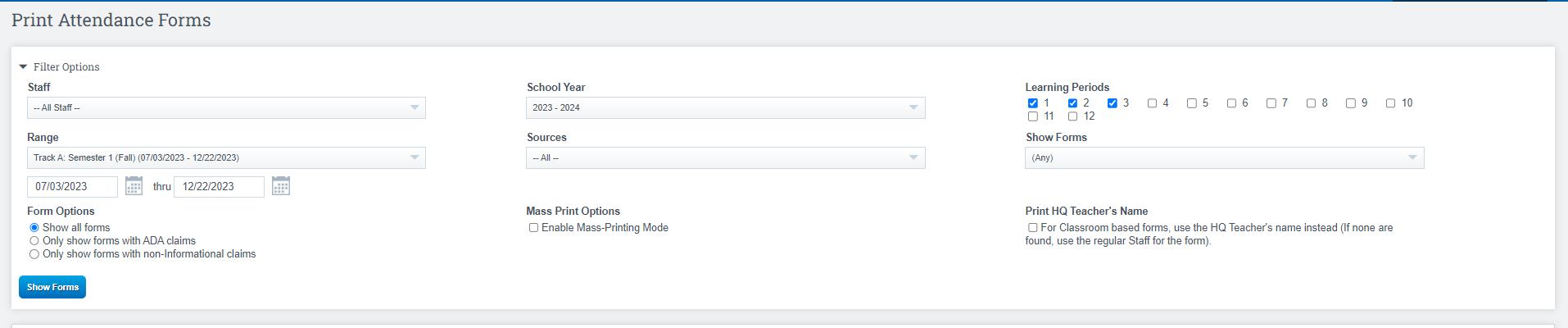
Use the filters below to gather all the information you need to review from the sections.
-
Click Show Forms
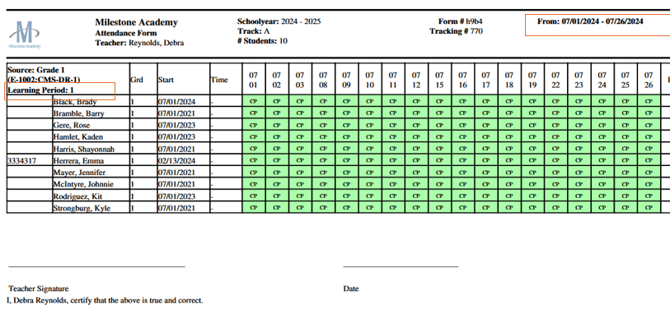
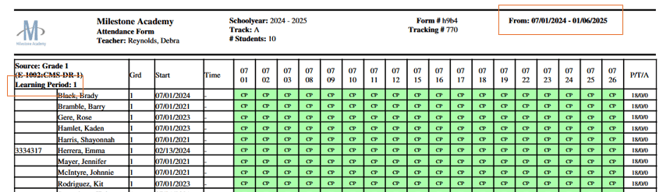
On this next screen you can :
- Unclaim (if you perform this action you have to type CONFIRM on the bottom of the screen)
- Print Form
- Print Form w/Details
- View Claim Count Report
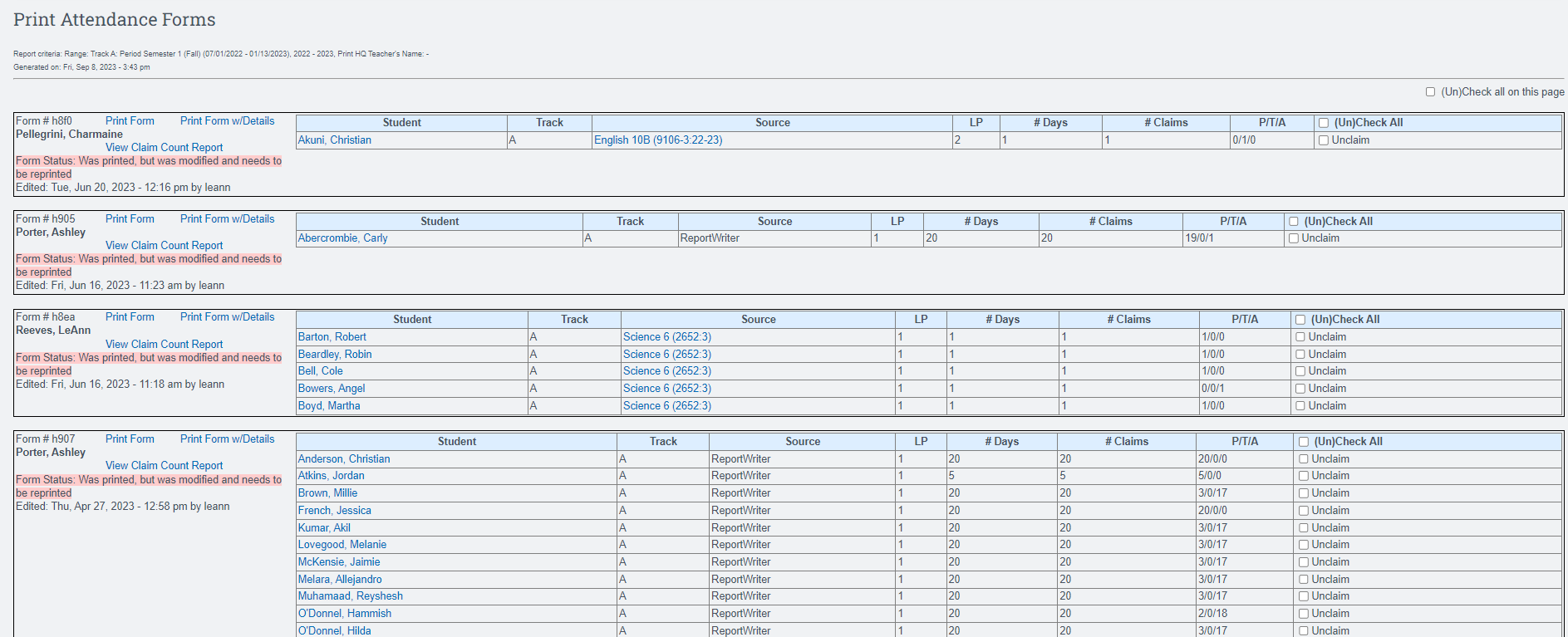
Important Note: Students promoted or demoted mid learning period will show one line with the original enrollment date. If overlapping enrollments aren’t due to a grade change, they will appear as two lines, both showing the same start date. Grade level changes trigger a new line; staff changes do not. All updates apply to both preview and printed forms.