
Course Catalog Copy Procedure
Navigation: Admin > Transcripts > Course Catalog List (Or use the Blue Quick Search and type “Course Catalog List”)
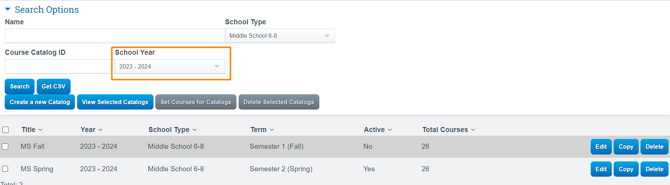
Verify first: Set your School Year dropdown to show the school year you are copying TO (This is important so that you see if there are already catalogs created for that school year)
-
Once you have verified, set your school year to the last year with catalogs (For example, if copying to 2026-2027, set the school year to 2025-2026) and click Search
Copy Catalogs:
-
Determine which catalog you want to use for next year
-
Click Copy
-
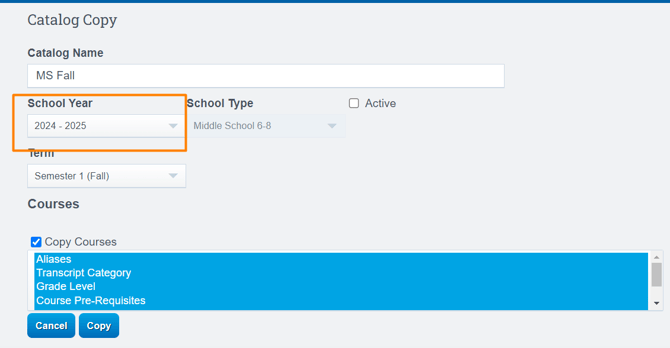
Update the School Year to the upcoming year (ex: 2026-2027)
-
Adjust the Term if needed
-
Click Copy.
-
You'll do this for each catalog, ensuring you have a catalog for each school type and each reporting period.