
Navigate to: Admin > Settings > Trigger Emails > Enrollment Interest
There are 3 different trigger emails available to your school to utilize for the Enrollment Interest Form:
- Enrollment Interest Status: An email available for when students are imported into App & Lottery.
- Enrollment Interest Submission: An email can be sent out letting the families know you have received their interest form once they have completed it.
- Enrollment Interest Submission Admin Notification:
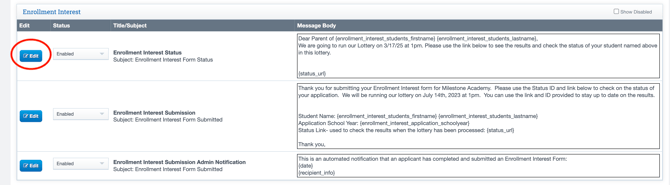
- Select Edit to edit the Message body, and select the Status to Enabled or Disabled.
- If you have previously disabled it, select the Show Disabled check box in the right-hand corner to view.