What's New?
-
The page tabs are now organized in a left-hand navigation column, providing a cleaner layout and making it easier to move between sections.
-
The Task Bar remains available on every page, allowing you to quickly navigate between pages without returning to the main menu.
All settings that control what is displayed and available in the Student/Parent Portal continue to be managed within the SIS under Portal Management. Administrators can configure page visibility and portal features from this location.
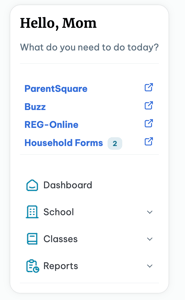
- PARENT PORTAL: Access and links to Reg Online, Household forms, and others have moved to this left-hand tab column.
- Parents can quickly view each Student's portal on the NEW right-hand side module (available on each page).
- Select the Arrow to open.
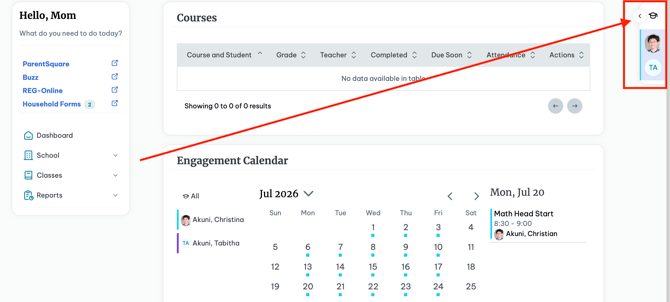
- Some Pages will allow you to click both students and view there information on one page like the Engagement Calendar.
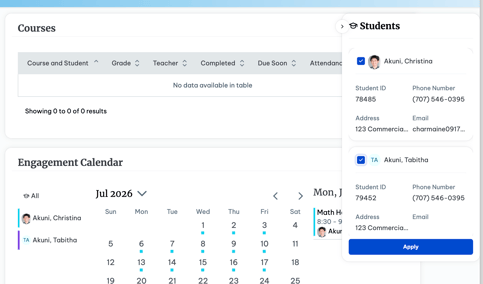
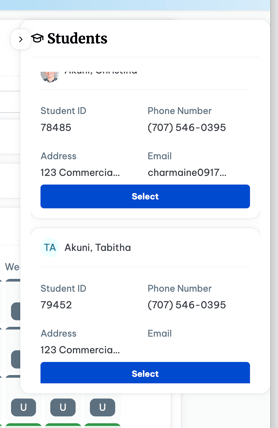
- Most other pages will allow you to select the student you would like to view the page for.
Students and parents can now expand each navigation category to view its subcategories and quickly access the exact page they need, making it easier and more intuitive to navigate the Student/Parent Portal.
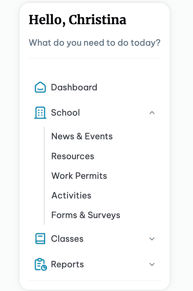
School
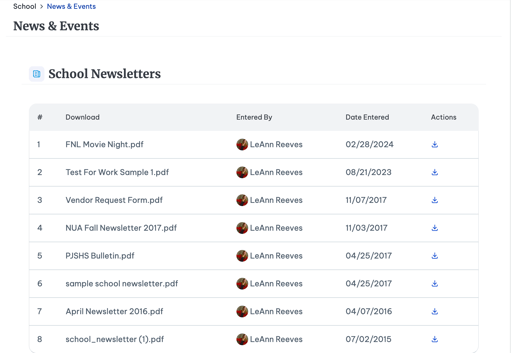
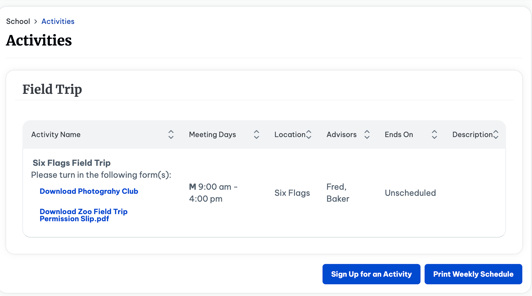
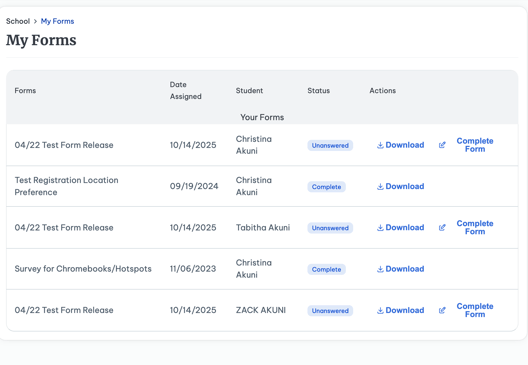
- Within the School tab, students and parents can access News & Events, Resources, Work Permits, Activities, Household Data and Forms & Surveys (if the module has been purchased). This section serves as a central location for school-specific information, documents, announcements, and resources made available through the Student/Parent Portal.
- All tabs within this category retain the same functionality as before, with no changes to their features or capabilities. The updates are limited to the user interface, providing a refreshed look and feel while maintaining the same familiar workflows.
Parents
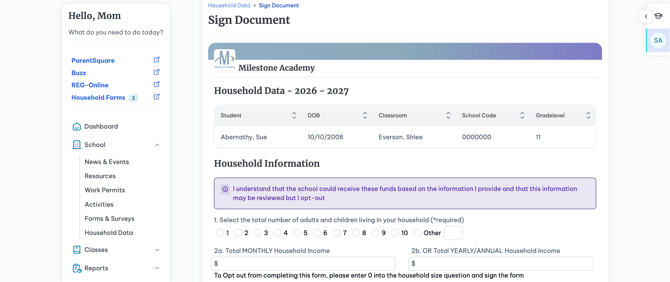
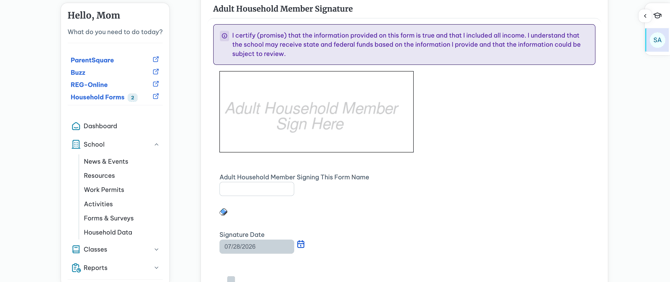
The Household data section houses the Housing Data Collection Form.
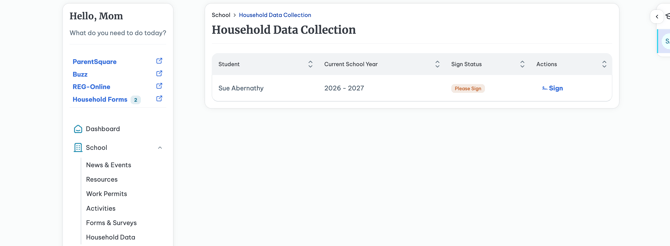
- View the Student on screen or select from the right-hand side which student you are signing for.
- The Form will have the student's name, School Year, Sign Status, and an Action column
- Select Sign to sign and submit the agreement on screen.
Classes
Within the Classes tab, students and parents can access Assignments & Grades, Schedule, Attendance, Registration, and the Engagement Calendar. This section provides a centralized view of the student's academic progress, class information, attendance records, course registration, and engagement activities.-
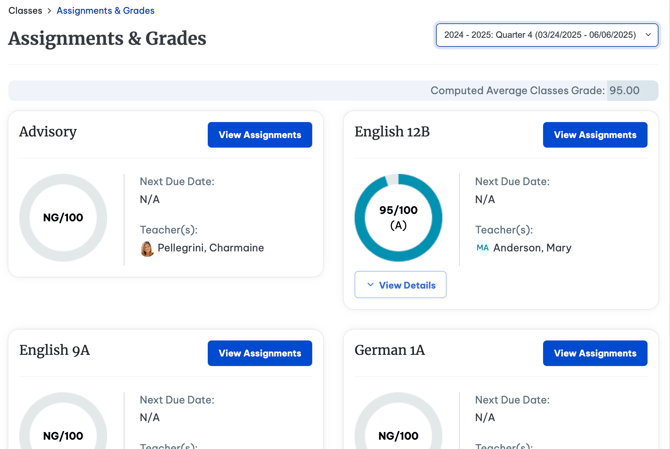
The Assignments & Grades and Schedule pages feature an updated design.
-
- You can view the progress bar, the Next Due Date for an assignment, and the Teacher for each Class.
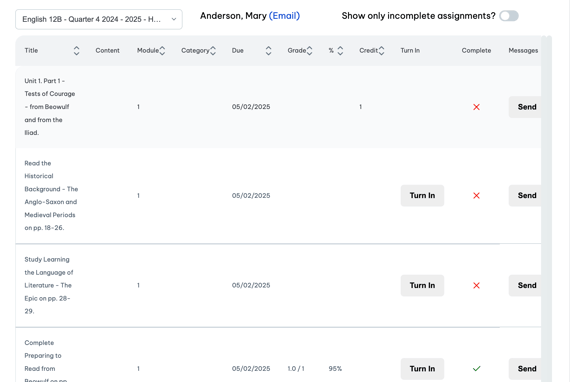
- Select View Assignments to review any additional information and Turn in or Send Messages.
-
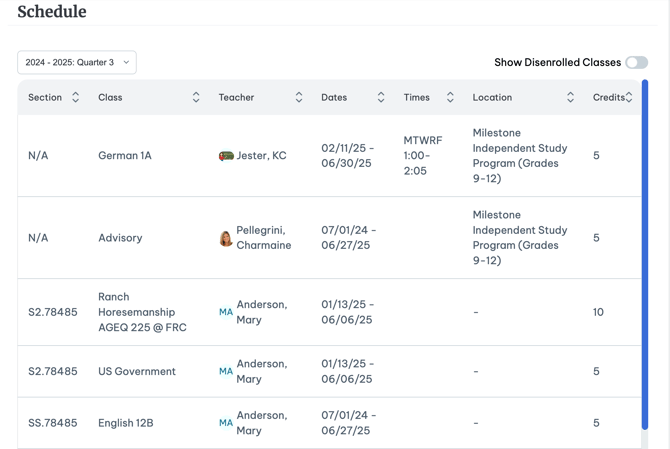
On the Schedule tab, by selecting the correct Data Range you can review the Section, Class Name, Teacher Associated, Dates, Times, Location and Credits.
-
You can also show any Dis-enrolled Classes by toggling the switch in the right hand corner.
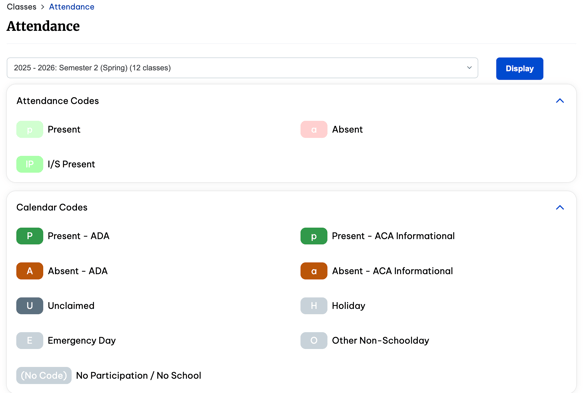
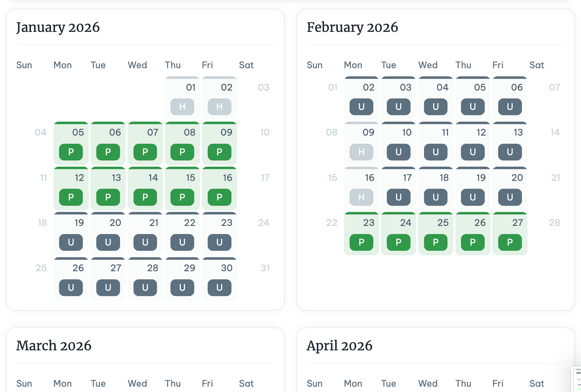
The Attendance tab, when selecting Display, will now display the calendar reflecting the range selected.
-
- Students and parents can also view the Attendance and Calendar codes associated.
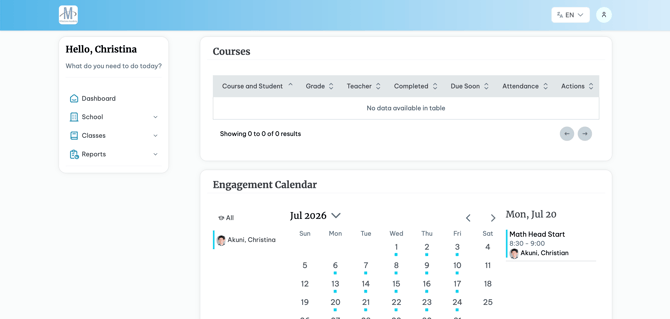
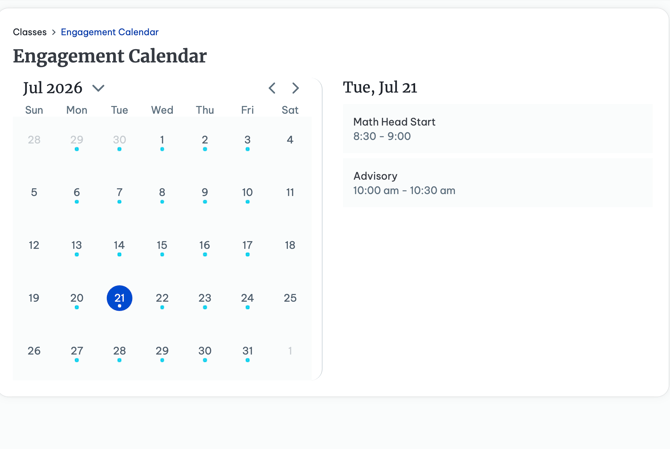
The Engagement Calendar, allows you to view the calendar with the engagement events, Live Interaction or Synchronous instruction you or your Student are inputted into.
- Utilize the drop-downs next to the Month and year to view a different month of the arrows to the right to quickly navigate to the next or month before.
Reports
Within the Reports category, students and parents can access Activity Logs, Report Cards, Transcripts, the Graduation Worksheet or Graduation Planner (depending on your school's configuration), and Test Results. This section provides a centralized location for viewing academic records, graduation progress, and other important student reports.
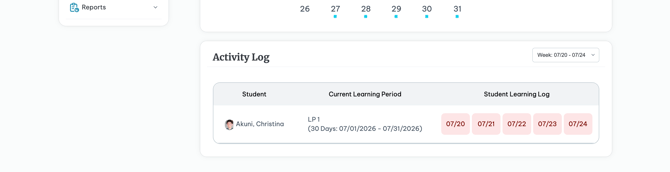
- The Activity Logs work as usual with an updated look and feel matching the rest of the UI being implemented across the SIS.
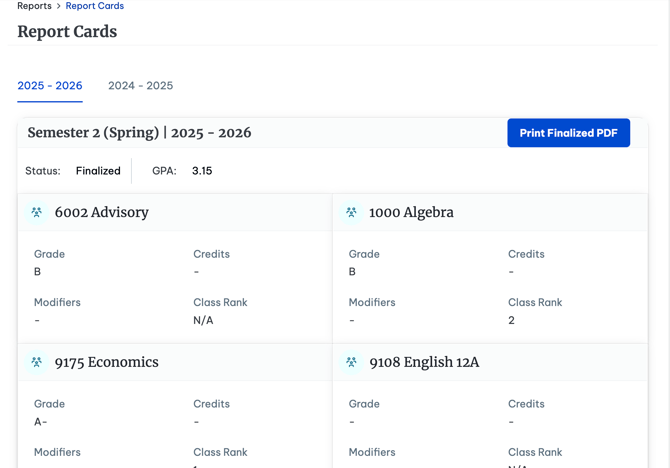
- Students can now visually see all Grades in the Report Cards tab.
- This page is grouped by school year now. Quickly move between schools years by navigating them at the top of the page.
- Students and parents also, can still utilize the Print Finalized PDF option.
-
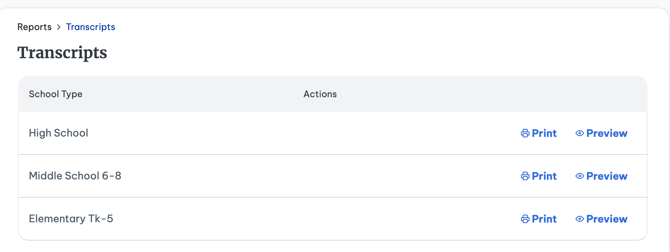
- The Transcripts page retains the same functionality, allowing students and parents to preview or print transcripts and select the appropriate School Type before generating the transcript.
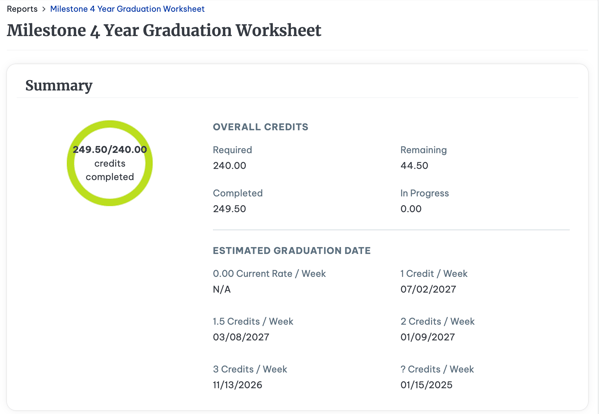
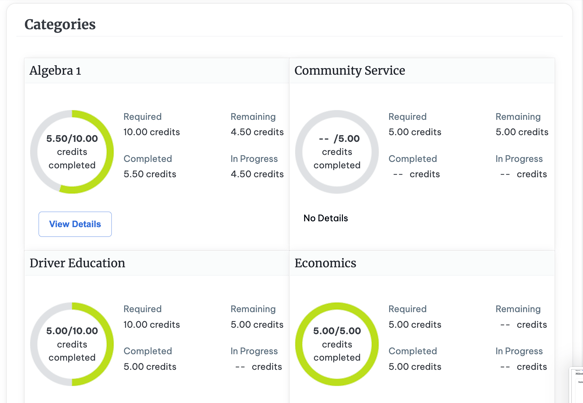
- The Grad Worksheet is separated into two sections, Summary and Categories.
- The Page features the same progress circle as being implemented across the entire portal.
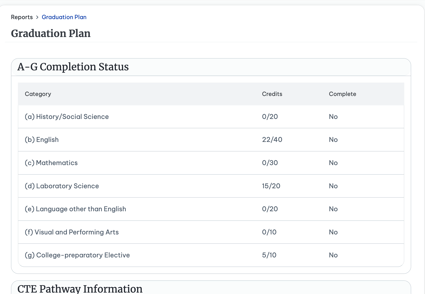
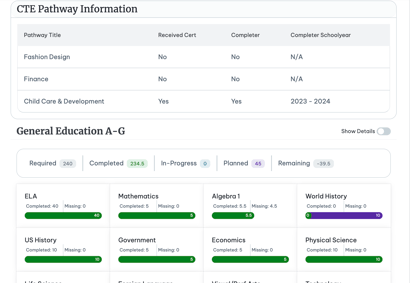
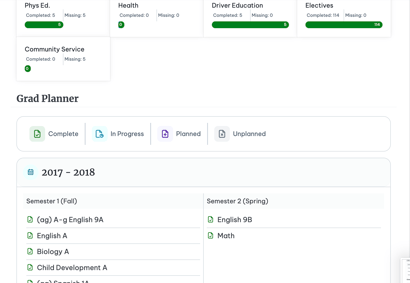
- The Graduation Planner features 4 different sections:
- A-G Completion Status if applicable
- CTE Pathway Information if applicable
- The Diploma Type
- The Actual Planner, with the list of classes planned.
-
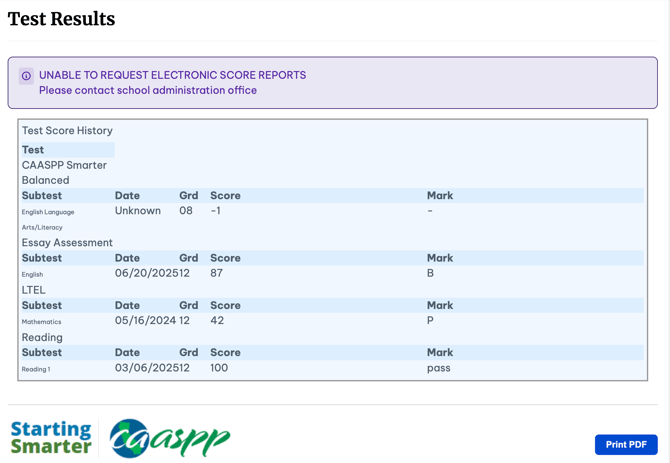
The Test Results Tab remains similar, with the same ability to print the PDF.