
Table of Contents
See Article to set up Portraits: Reg- Online: Student Photos
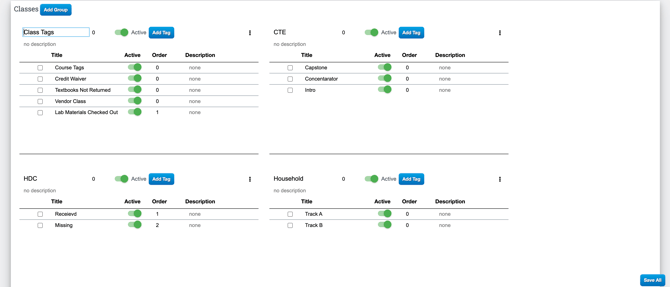
Admin: Step 1: Creating Tags
To create Tags Navigate to Admin > Settings > Tags- Review if needed: Tags
Step 2: Attaching Tags to Documents in Reg- Online
- Navigate to: Admin > Reg- Online > Setup Documents

- Select Import Tags to the right of the Correct document and attach the tag you created in Step 1.
- Upon Reg Online import, assigned tags will be added to students who submit this document.
- EX: If 504 Agreement is signed, a student will then have this tag automatically attached to their profile.
Viewing Tags
- Navigate to Student Info > Hover over Student Name and select Tags
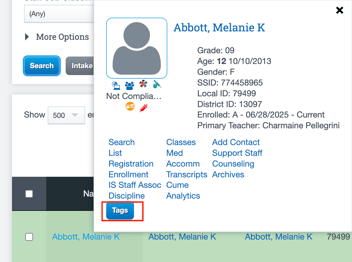
- These tags will show here, and will allow for organization.
- For Example, if Immunization Records were uploaded in the Reg- Online Process and that document was tagged under Setup Documents, this tag will automatically appear in this Students profile.